
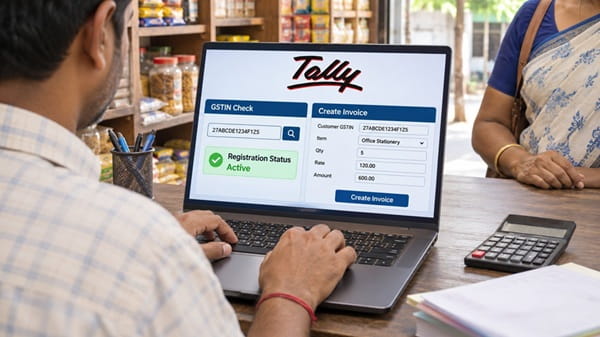
Every small business owner in India eventually asks the same question: How do I issue a correct GST invoice without errors or delays? A wrong GSTIN or a missing detail can lead to rejected input tax credit, awkward calls with customers and avoidable notices. The good news is that the process is simple when you follow it in the right order. It begins with verifying who you are dealing with and ends with a clean invoice in your customer’s hands. Read on to learn each step and how to implement them.
Verify your customer or supplier first
Before you raise an invoice, confirm that the other business is genuinely registered. A quick GST search with a reliable online tool lets you check any GSTIN in a few seconds, so you can be sure of who you are dealing with.
Here is how it works:
- Enter the 15-character GSTIN in the search tool.
- Review the legal name, trade name, registration status and state shown in the results.
- Match these details against what your customer or supplier has shared with you.
A GSTIN is not a random number. The first two digits show the state, and the next ten are the PAN of the business. If the status shows as cancelled or suspended, hold the transaction, because you may not be able to claim input tax credit on that purchase. Make this check every time, and not only for new contacts, since a registration can be cancelled long after you first dealt with a business. It also helps you catch typing errors early, before they reach an invoice.
Choose the right tool for billing
Once the details are confirmed, the next step is choosing how you will create invoices. Notebooks and spreadsheets often lead to calculation mistakes and missed invoice numbers, and they make old invoices hard to find. Good billing software with GST support handles the routine work for you and keeps your records ready for return filing.
When comparing options, look for these features:
- Invoices can be generated quickly and easily, even by staff with no accounting background.
- Recurring billing is automated, which helps if you charge customers monthly for subscriptions or services.
- Payment reminders go out automatically on time, so you do not have to chase every customer yourself.
- Payments from multiple customers can be tracked in one place.
- Taxes and discounts are managed efficiently, with the correct GST applied to each sale.
- The software integrates with your accounting software, which saves you from entering the same figures twice.
What a GST invoice must contain
A tax invoice is valid only when it carries certain details. Leaving any of them out can create problems for you and your buyer at the time of filing.
| Detail | What to include |
| Supplier details | Name, address and GSTIN |
| Invoice number and date | A unique number in sequence (up to 16 characters), with the date of issue |
| Customer details | Name, address and GSTIN, if the buyer is registered |
| Product or service | Description, HSN or SAC code and quantity |
| Value and tax | Taxable value, tax rate and tax amount |
| Place of supply | The state where the supply is made |
| Signature | Authorised signature, physical or digital |
The number of digits required in the HSN code depends on your turnover, so confirm what applies to your business. Businesses under the composition scheme issue a bill of supply instead of a tax invoice, and they cannot charge GST separately to the customer. Whichever type you issue, keep a copy of every invoice for the period the law requires.
Steps to create an invoice
With the basics in place, creating an invoice takes only a few minutes. Follow the same steps for every sale so that nothing is missed.
- Confirm the buyer’s GSTIN and registration status.
- Select the product or service along with its HSN or SAC code.
- Enter the quantity and price, and let the software apply the tax rate.
- Check the place of supply to see whether CGST and SGST or IGST applies.
- Review the total and issue the invoice within the allowed time.
Taking an extra minute at the first and fourth steps avoids most corrections later. For goods, the invoice is generally raised at or before delivery. For services, it is usually issued within 30 days of providing the service.
If your annual turnover crosses the e-invoicing limit of ₹5 crore, the invoice must also be reported on the government’s Invoice Registration Portal.
Conclusion
Good invoicing starts well before the invoice itself. Verify the GSTIN, use reliable software, include every required detail and follow the same steps each time. These habits protect your customers’ tax credit, keep your returns accurate and save you from last-minute corrections. For a small business in India, a tidy invoicing routine is one of the simplest ways to stay compliant and build trust with buyers. Start with the next sale, and make accuracy a habit rather than an afterthought.
Reference:
https://gstinvoices.in/blog/how-to-create-gst-invoice
 Meghna Sharma