
If you drive on highways in India, FASTag is no longer optional—it’s essential. From toll payments to smooth travel, everything depends on whether your FASTag is working properly. But here’s something many people ignore: just having a FASTag sticker on your car doesn’t mean it’s active.
Sometimes tags get deactivated due to low balance, KYC issues, or inactivity. And when that happens, you end up paying double toll or facing unnecessary delays. That’s why checking your FASTag status regularly is a smart habit.
The good part? You can check it in just a few steps using your phone.
What Does FASTag Active Status Mean?
A FASTag is considered active when:
- It is linked to your vehicle
- It has valid KYC details
- It is not blacklisted
- It has sufficient balance
FASTag is managed under the National Electronic Toll Collection system by National Payments Corporation of India.
Why You Should Check FASTag Status
Before getting into methods, here’s why it matters:
- To avoid double toll charges
- To ensure smooth toll payments
- To check if your tag is blacklisted
- To confirm KYC is complete
- To avoid travel delays
Even one inactive FASTag can create problems at toll plazas.
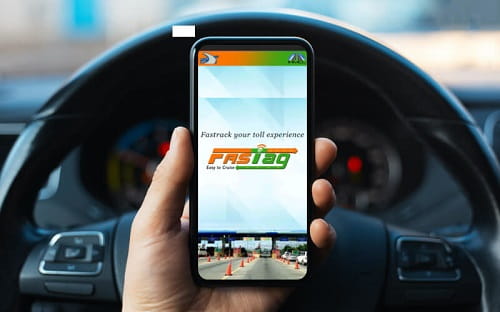
Method 1: Check FASTag Status via MyFASTag App
The easiest method is using the official app.
MyFASTag
Steps:
- Download and open the MyFASTag app
- Log in using your registered mobile number
- Go to “Tag Details” or “Wallet”
- Select your vehicle
What You’ll See:
- FASTag status (Active / Blacklisted)
- Balance amount
- Vehicle details
If it shows Active, your FASTag is working properly.
Method 2: Check FASTag via Bank App
FASTag is issued by banks like:
- HDFC Bank
- ICICI Bank
- State Bank of India
Steps:
- Open your bank’s mobile app
- Log in
- Go to FASTag section
- View tag details
You’ll Get:
- Tag status
- Balance
- Transaction history
Method 3: Check FASTag Status via SMS
Whenever you cross a toll:
- You receive an SMS
- It shows deduction and balance
If you are receiving SMS alerts, your FASTag is usually active.
If no messages are coming, your tag may be inactive or not linked properly.
Method 4: Check via Customer Care
You can call your FASTag provider’s helpline.
Steps:
- Dial customer care number
- Provide vehicle number or tag ID
- Ask for status
They will confirm whether your FASTag is active or blacklisted.
Method 5: Check at Toll Plaza
If you’re unsure, you can also check physically.
Steps:
- Visit a nearby toll plaza
- Ask the FASTag support staff
- They will scan your tag
They can instantly tell:
- Active or inactive
- Balance status
- Any issue with the tag
What is FASTag Blacklist Status?
Sometimes FASTag is not inactive but blacklisted.
This happens when:
- Balance is low or zero
- KYC is incomplete
- Tag is not used for long time
Result:
- Toll payment fails
- You may have to pay double charges
How to Reactivate FASTag
If your FASTag is inactive or blacklisted, don’t worry.
Steps to fix:
- Recharge your FASTag
- Complete KYC if pending
- Update vehicle details if required
- Wait for activation (usually quick)
Once done, status becomes active again.
Common Reasons FASTag Becomes Inactive
Here are the most common reasons:
- Insufficient balance
- Expired or incomplete KYC
- Tag not linked to vehicle properly
- Long inactivity
- Bank-related issues
Knowing the reason helps fix it quickly.
Tips to Keep FASTag Active
1. Maintain Minimum Balance
Always keep enough balance to avoid blacklist.
2. Complete KYC
Full KYC keeps your tag active without interruptions.
3. Use FASTag Regularly
Inactive tags may get blocked.
4. Update Mobile Number
So you receive transaction alerts.
5. Check Status Monthly
A quick check avoids last-minute issues.
Difference Between Active and Working FASTag
Important point:
- Active FASTag → Registered and valid
- Working FASTag → Has balance and functioning properly
Even an active FASTag won’t work if balance is zero.
Quick Checklist
Before starting your journey, confirm:
- FASTag status is Active
- Sufficient balance available
- KYC completed
- SMS alerts working
- Tag properly fixed on windshield
Final Thoughts
Checking whether your FASTag is active or not takes less than a minute, but it can save you from a lot of trouble on the road. Whether you use the MyFASTag app, your bank app, or simple SMS alerts, everything is easily accessible.
Make it a habit to check your FASTag before long trips. A small check today can save you from double toll charges and unnecessary delays tomorrow.